Table of contents
Prerequisites
To configure an AD-integrated DNS primary zone you need:
-
a Windows server set up as a Domain Controller
-
a running Active Directory instance
Configuration
Open a PowerShell Prompt as Administrator and run the following command.
Add-DnsServerPrimaryZone -Name "<NameOfYourNewPrimaryZone>" -ReplicationScope "Domain" -DynamicUpdate "Secure"
Code language: PowerShell (powershell)-
-Namespecifies the new zone name -
-ReplicationScopespecifies where this new zone should be replicated, in this case to all DNS servers in the specified domain -
-DynamicUpdatespecifies that only secure updates are allowed which is best practise for AD
Testing
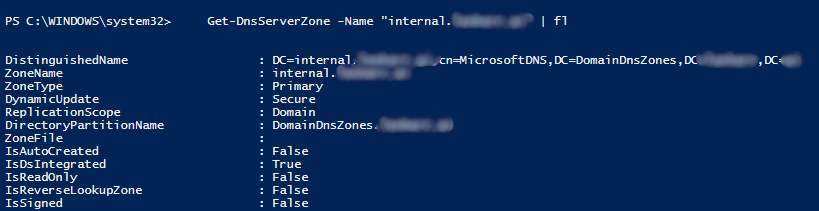
To test or verify this, we run this command.
Get-DnsServerZone -Name "<NameOfYourNewPrimaryZone>"Code language: PowerShell (powershell)In your output you should find somethin like ZoneType Primary and IsDsIntegrated True .